

Our new easy-to-use User Interface Design
Find Google Translate at the bottom of this website page.
Our new CyberTracker Online provides a free data collection tool for field monitoring by Indigenous Communities, Community Science (Citizen Science), Humanitarian projects and students, simplified for nontechnical users who cannot afford expensive technical support. We will cover our costs with revenue generated from high-volume data users, based on the number of observations stored on our servers*.
Customize your own application on a laptop or desktop computer and then install your app onto an Android or iPhone smartphone.
*See Pricing

Data Integrity for field monitoring depends on three factors: (1) Observer Reliability to ensure accurate data is captured (2) CyberTracker Online Data Collection and Visualization is Transparent and Verifiable (3) Export Data for analysis.
We provide CyberTracker Tracker Certification that maintains the highest standards for field observations by human observers to ensure observer reliability.
CyberTracker data analysis, such as the Map Visualization and Index of Abundance, are based on well-defined algorithms. CyberTracker Online will not use generative Artificial Intelligence (AI) to analyze data. Generative AI is probabilistic and may therefore generate errors in data analysis. CyberTracker Mobile is Open Source (and CyberTracker Online will be made Open Source when we have developed a level of maturity beyond the Minimum Viable Product), so that users can in principle verify the reliability of the code.
The new Export File Formats will allow users to export their data to use data analysis tools of their choice. This may include GIS, Distance Sampling or other data analysis tools. It may also include domain specific AI tools that run on local machines for data analysis. As long as these AI tools are used outside CyberTracker Online for data analysis, any potential problems with errors produced by generative AI will not effect the integrity of the original CyberTracker data.
To collect complex biodiversity data on millions of species worldwide, we need to scale up the adoption of CyberTracker worldwide. To achieve this we need to minimize the need for technical support. The new CyberTracker Online allows nontechnical users to create their own data collection applications.
The CyberTracker Icon User Interface was awarded the Rolex Award for Enterprise.

The Icon User Interface Design empowers nonliterate (oralate) users, such as expert indigenous trackers, to collect complex biodiversity data. For conservationists and professional scientists the Icon User Interface is more efficient and enables much faster data capture, while reducing data input errors.
Data can be collected off-line, and then uploaded when cell phone or Internet connectivity is available.

Screen Templates allows nontechnical users to build a customized mobile data capture application.
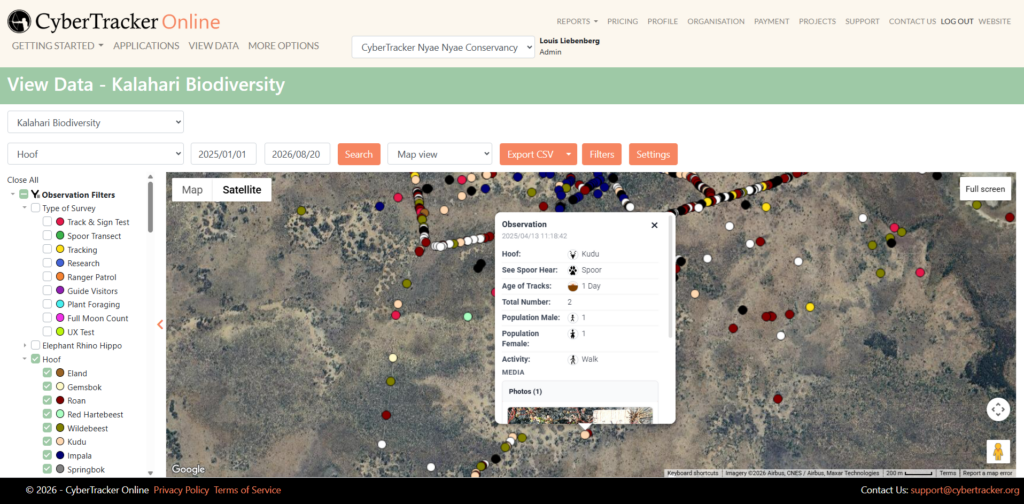
Map and Table views allows nontechnical users to query data and the data popup displays the icons so that non-literate users can view their own data. The Save Filter feature allows users to select preselected queries from a drop-down menu, for example to display all the Hoofed animals.
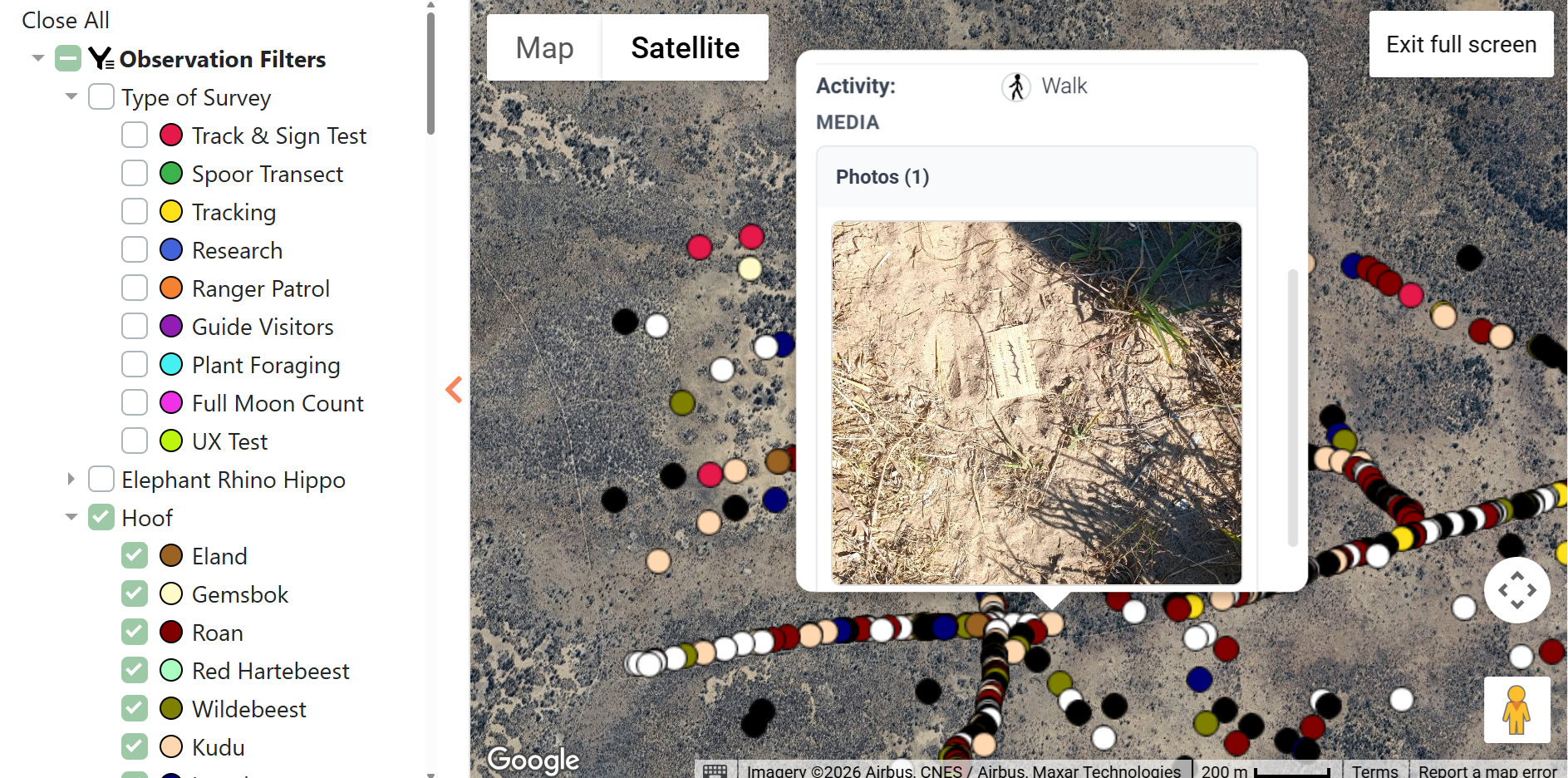
The Full Screen feature provides a better Map View on a Smartphone or a Tablet. To have a closer look at the photo users can Zoom in, or Tap (Click) on the photo for a full-screen view of photo.

Data can be Exported as CSV, GEOJSON, KML, and KMZ files for advanced data analysis using analytical software tools.
Quick Start – Build a Simple CyberTracker Photo Notes App
Build a Simple Linear Sequence of Screens with Icons


Privacy Policy | © CyberTracker Conservation 2021. Unless otherwise stated, all text and images
on this site are copyright.
Website built by AlexM
